It's roughly equivalent to a page in HTML.
There are five main things an author can put in a node space:
- sound
- image
- shape
- text
- movies
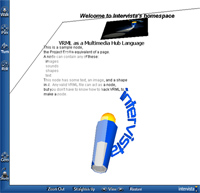
The lower figure shows how the page can be freely navigated. The text on this page uses Intervista's WorldView's feature called PopupText, which allows high quality text to be always facing the viewpoint. The other geometry can be examined normally.
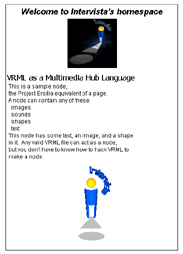
This is no more difficut and far more powerful than DHTML.
size 0.6 0.6 0.6
src ["logo.gif"]
position 0 1.03 0
}
sound {
src ["greetings.wav"]
}
shape {
size 0.06 0.06 0.06
position 0 -1.1 0
src ["logo.wrl"]
}
text {
position 0 1.35 0
pointSize 14
textColor 0 0 0
string ["Welcome to Intervista's homespace"]
style "BOLDITALIC"
justify "CENTER"
}
<img src="logo.gif" position="0 1.03 0"/>
<sound src="greetings.wav"/>
<shape src="logo.wrl" scale=0.06 position="0 -1.1 0"/>
<text position="0 1.35 0" size="14" color="0 0 0">
Welcome to Intervista's homespace
</text>
</nodespace>